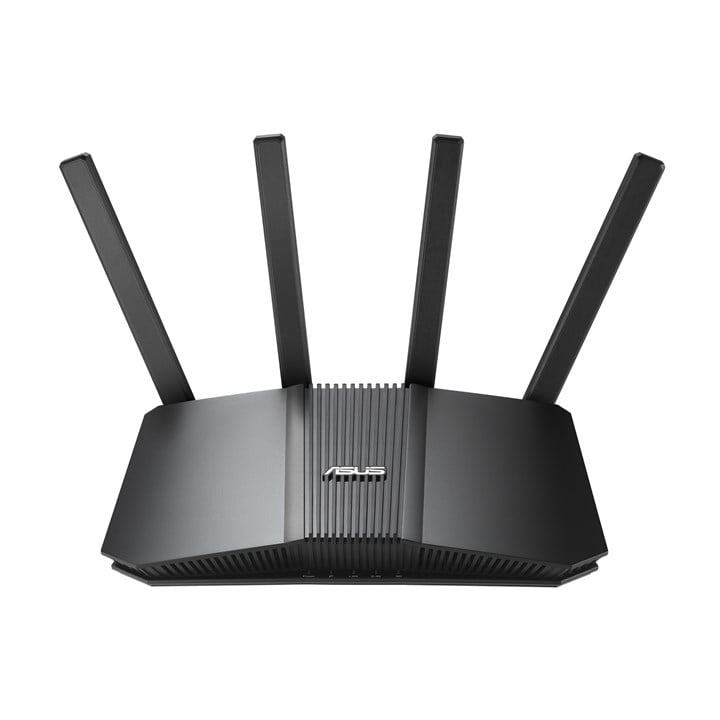
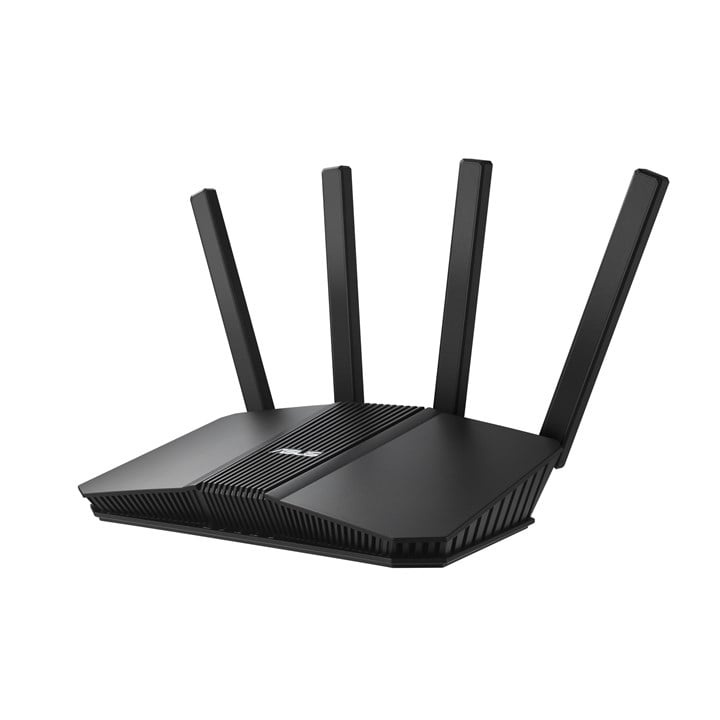
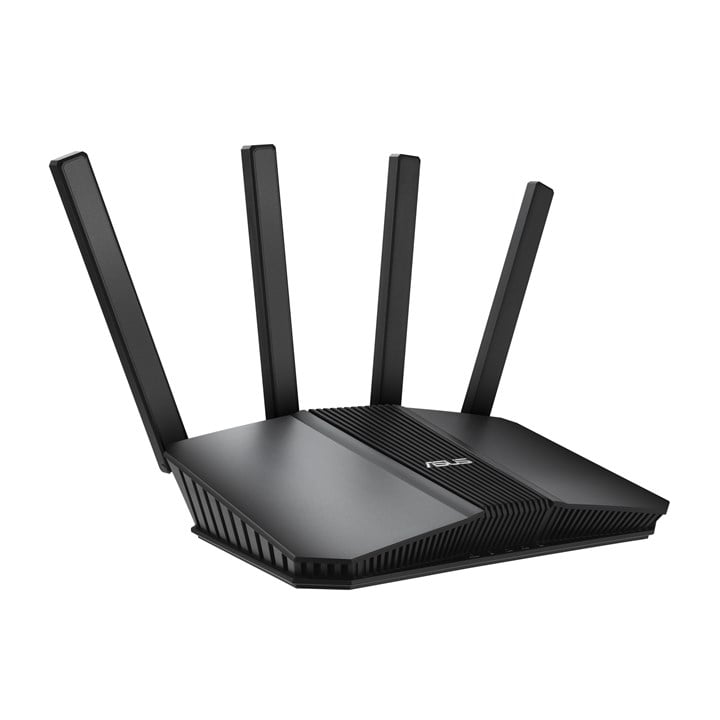
ASUS RT-BE55 Wireless Wifi 7 Gaming Router

  • Part Number: 90IG0A80-MU9C00
  • Manufacturer: ASUS
  • Quickfind Code: 605080

  • Stock: In Stock

£79.89 ex. vat
£95.87 inc. vat


Product Features:
  • Condition: New
  • Connection Wireless BE
  • Type Wireless Cable Router
  • Main Colour Black
+ Read More Information

Share:

Product Description

ASUS RT-BE55
Worry-Free Smart Home WiFi 7
Elevate your smart home with blazing-fast dual-band Wi-Fi 7 speeds of up to 3600 Mbps and boosted coverage with AI-boosted Smart AiMesh technology. With next-gen ASUS Network Security and a suite of advanced network technologies such as IoT Network, the RT-BE55 safeguard your network end-to-end, 24/7.

Technical Specification

ASUS RT-BE55 Wireless Wifi 7 Gaming Router

WAN connection
Ethernet WAN
Indicates whether the device features a dedicated Ethernet port for connecting to a wide area network (WAN).
 
SIM card slot
Whether the device features a SIM card slot.
 
3G/4G USB modem compatibility
Indicates whether the device supports the connection of an external 3G or 4G USB modem for cellular internet access.
 
WAN connection type
The physical or logical interface used to connect the device to the wide area network (e.g. RJ-45, SFP, or GPON).
RJ-45
Wireless LAN features
Wi-Fi band
The frequency bands the product features.
Dual-band (2.4 GHz / 5 GHz)
Top Wi-Fi standard
Connection of this device is done via Wi-Fi in a high standard.
Wi-Fi 7 (802.11be)
WLAN data transfer rate (max)
The maximum theoretical speed at which data can be transmitted wirelessly, measured in Megabits per second (Mbps) or Gigabits per second (Gbps).
3600 Mbit/s
Wi-Fi standards
The type of wireless local area network (LAN). It can be ad-hoc, where units in a network communicate peer-to-peer, or Infrastructure, where units communicate with each other via an access point A LAN interconnects computers in a small area e.g. home, school or office.
802.11a, Wi-Fi 5 (802.11ac), Wi-Fi 7 (802.11be), 802.11b, Wi-Fi 6 (802.11ax), 802.11g, Wi-Fi 4 (802.11n), Wi-Fi 6E (802.11ax)
WLAN data transfer rate (first band)
The maximum theoretical speed at which data can be transmitted wirelessly over the first frequency band, measured in Megabits per second (Mbps).
688 Mbit/s
WLAN data transfer rate (second band)
The maximum theoretical speed at which data can be transmitted wirelessly over the secondary frequency band, measured in Megabits per second (Mbps).
2882 Mbit/s
Modulation
Modulation is the process of varying one or more properties of a periodic waveform, called the carrier signal (High Frequency Signal), with a modulating signal which typically contains information to be transmitted. The aim of digital modulation is to transfer a digital bit stream over an analog bandpass channel, for example over the public switched telephone network (where a bandpass filter limits the frequency range to between 300 and 3400 Hz), or over a limited radio frequency band. The aim of analog modulation is to transfer an analog baseband (or lowpass) signal, for example an audio signal or TV signal, over an analog bandpass channel at a different frequency, for example over a limited radio frequency band or a cable TV network channel.
4096-QAM, OFDMA
Network
Ethernet LAN
An Ethernet LAN (Local Area Network) interface is present, for a wired conection via a cable.
 
Ethernet LAN interface type
The characteristics of the Ethernet LAN interface.
2.5 Gigabit Ethernet
Ethernet LAN data rates
The different speed levels of the Ethernet LAN connection.
1000, 2500 Mbit/s
Port forwarding
Indicates whether the device supports the redirection of network ports to a specific IP address within the local network.
 
Port triggering
Indicates whether the device supports port triggering to dynamically open incoming ports based on outgoing traffic.
 
Dynamic DNS (DDNS)
Indicates whether the device supports a service that automatically updates a DNS record to map a domain name to a changing IP address.
 
VPN support
Indicates whether the device supports the creation or connection of a Virtual Private Network for secure remote access.
Instant Guard VPN Client L2TP VPN Client Open VPN VPN Client PPTP VPN Client WireGuard VPN Server IPSec VPN Server Open VPN VPN Server PPTP VPN Server WireGuard
Ports & interfaces
Ethernet LAN (RJ-45) ports
Number of Ethernet LAN (RJ-45) ports (connecting interfaces) in the device. Ethernet LAN (RJ-45) ports allow a computer to connect to the ethernet.
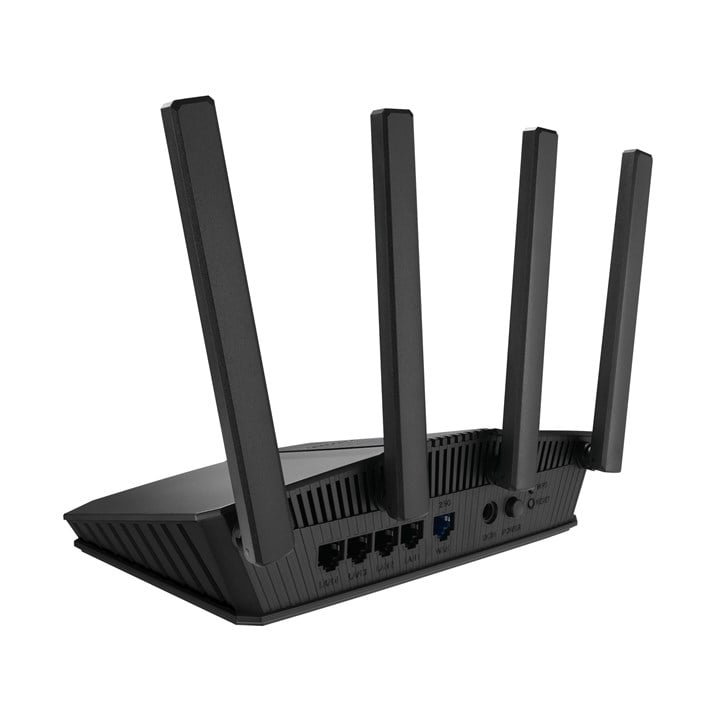
5
USB port
The device features a socket into which a USB cable can be plugged.
 
Management features
Bandwidth control
Indicates whether the device allows the user to limit the maximum data transfer rate for specific devices or applications.
 
Quality of Service (QoS) support
Indicates whether the device supports Quality of Service (QoS) to prioritize specific network traffic to ensure performance for critical applications.
 
Wake-on-LAN ready
Indicates whether the device can be turned on or woken up from a low-power state by a network message sent from another networked device.
 
Reset button
Indicates whether the device features a dedicated button to restore the unit to its original factory settings.
 
WPS push button
Indicates whether the device features a Wi-Fi Protected Setup (WPS) button for simplified wireless network connection.
 
MU-MIMO technology
Indicates whether the device supports Multiple Input Multiple Output technology to allow simultaneous data transmission to multiple connected devices.
 
Security
Security algorithms
Security algorithms are used to provide authentication, cipher key generation, integrity and radio link privacy to users on mobile networks. The security algorithms supported are the ones that can be used with this product.
SSH, WPA2-Enterprise, WPA2-Personal, WPA3-Enterprise, WPA, WPA3-Personal, WPS, WPA-Enterprise, WPA-Personal
Firewall
Indicates whether the device includes a built-in firewall to monitor and control incoming and outgoing network traffic.
 
Firewall security
Part of a computer system or network which is designed to block unauthorized access while permitting outward communication.
Maximum Firewall Keyword Filter : 64 • Maximum Firewall Network Service Filter : 32 • Maximum Firewall URL Filter : 64
Parental control
Indicates whether the device includes features to restrict access to specific content or limit usage time for children.
 
MAC address filtering
Security access control method whereby the 48-bit address assigned to each network card is used to determine access to the network. MAC addresses are uniquely assigned to each card, so using MAC filtering on a network permits and denies network access to specific devices through the use of blacklists and whitelists.
 
System event log
Indicates whether the device maintains a record of internal system events and status changes for diagnostic purposes.
 
DMZ support
Indicates whether the device supports a Demilitarized Zone to allow external traffic to reach a specific internal host.
 
Network address translation (NAT)
Indicates whether the device can remap one IP address space into another while in transit.
 
Security
NAT functionality
Describes the capabilities and configuration options for Network Address Translation, which allows multiple devices on a private network to share a single public IP address.
PPTP Pass-Through, L2TP Pass-Through, IPSec Pass-Through, RTSP Pass-Through, H.323 Pass-Through, SIP Pass-Through, PPPoE relay
Protocols
DHCP server
A server is a system which that responds to requests across a computer network to provide, or help to provide, a network service. DCHP servers uses the DCHP (Dynamic Host Configuration Protocol), which is a standardized networking protocol used by servers on an IP network to allocate IP addresses to computers. The purpose of DHCP is to automate the IP address configuration of a computer without a network administrator. IP addresses are typically selected from a range of assigned IP addresses stored in a database on the server and issued to a computer which requests a new IP address. An IP address is assigned to a computer for a set interval, after which, the computer must renew the IP address or acquire a new one.
 
Design
Product colour
The colour e.g. red, blue, green, black, white.
Black
LED indicators
The specific status lights available on the unit to provide visual feedback on its current state or connectivity (e.g., AC input, ACT, or Access).
Power, LAN, WAN
On/off switch
The button which is pressed to switch the device on or off.
 
Product type
The sub-category of the product.
Tabletop router
Packaging content
Cables included
Specifies the types and quantities of connection cables provided with the product (e.g., 3.5 mm to 3.5 mm or SATA).
LAN (RJ-45)
AC adapter included
Indicates whether a power supply unit for connecting the device to an AC outlet is provided in the package.
 
Warranty card
Indicates whether a physical warranty card is included with the product.
 
Quick start guide
Instructions, either online, as a computer program or in paper form, to allow you to set up and start using the product quickly.
 
Antenna
Antenna design
Specifies whether the antenna is built into the device or attached as an external component (e.g., External, Internal).
External
Antennas quantity
The total number of antennas integrated into or supplied with the device.
4
Features
Built-in processor
Whether or not a processor is built into the device.
 
Processor frequency
The clock rate is the fundamental rate in cycles per second (measured in hertz) at which a computer performs its most basic operations such as adding two numbers. There are more factors, like internal memory size, that influence a computer's actual response time.
2000 MHz
Processor cores
The number of central processing units ('cores') in a processor. Some processors have 1 core, others have 2 (e.g. Intel Core Duo) or more (e.g. the Intel Xeon E7-2850 has 10 cores).
4
Internal memory
The amount of memory, usually measured in bytes (e.g. MB, GB), which is installed in the system's hardware.
512 MB
Flash memory
The total amount of non-volatile storage available for firmware or data, measured in MB.
128 MB
Power
Power source type
What the power source is.
AC
AC input voltage
The voltage of the AC electricity that is inputted into the product.
100 - 240 V
AC input frequency
The range of alternating current frequencies the device can accept from the power source, measured in hertz (e.g., 45 - 65).
50/60 Hz
Output voltage
The electrical potential difference delivered by the device, typically expressed in volts (e.g. 24-48).
12 V
Output current
The maximum electrical current that the device can provide to a connected load, measured in amperes (A).
1.5 A
Weight & dimensions
Width
The measurement or extent of something from side to side.
238 mm
Depth
The distance from the front to the back of something.
193 mm
Height
The measurement of the product from head to foot or from base to top.
59 mm
Weight
Weight of the product without packaging (net weight). If possible, the net weight is given including standard accessories and supplies. Please note that sometimes the manufacturer leaves out the weight of accessories and/or supplies.
446 g

Fast Next Day Delivery

Over 20 years of Supply, Service & Support

We Source Hard to Find and Legacy Computer Parts

Free Technical Support