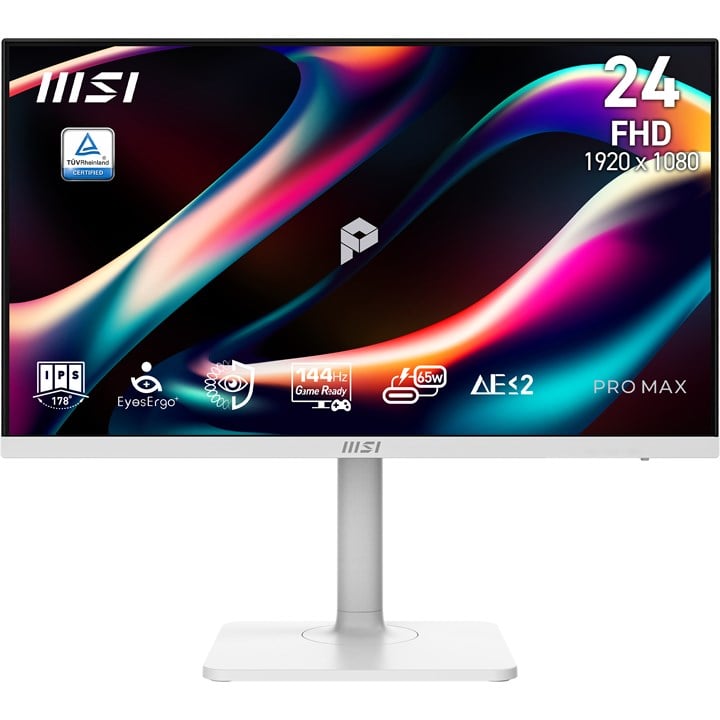
MSI PRO MAX 241PHW E14 23.8" IPS 144HZ USB-C Full HD Gaming Monitor White

  • Part Number: 9S6-3PF44H-003
  • Manufacturer: MSI
  • Quickfind Code: 530290

  • Stock: In Stock

£128.49 ex. vat
£154.19 inc. vat


Product Features:
  • Condition: New
  • Size 24"
  • Refresh Rate 144HZ
  • Panel Type IPS
  • Resolution 1920 x 1080 (FHD)
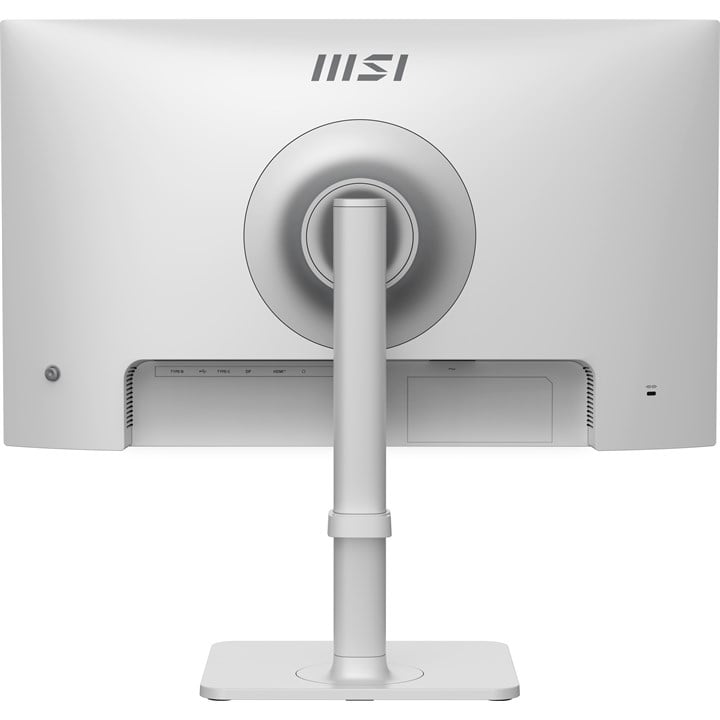
  • Input Connections DP HDMI USB-C
  • Variable Refresh Rate Technology Freesync
  • Main Colour White
+ Read More Information

Share:

Product Description

See beyond. Lead beyond.
The physics of focus. Built on the science of natural light, our PRO MAX 241PHW E14 display redefines visual comfort with EyeErgo+. Combined with Circular Polarizer and intelligent software, we’ve engineered a studio that outlasts the day—so your vision stays as sharp as your ambition.

EyesErgo+ : The New Era of Eye Care
Redefining Visual Comfort
Pure Comfort, True Color Powered by SpiraLume technology, MSI EyesErgo+ mimics natural light to reduce fatigue. Protect your eyes without sacrificing color accuracy—engineered for all-day comfort.

Circular Polarizer
Circular Polarization technology transforms harsh screen output into gentle waves
that mimic natural daylight, eliminating digital glare for ultimate comfort.

Strip the strain. Keep the color
Unlike software filters that turn your screen yellow, our TÜV-Certified Hardware Low Blue Light PRO shifts the light spectrum at the source. It effectively eliminates harmful blue radiation while preserving stunning, true-to-life color accuracy for both work and play.

Total stability. Zero fatigue. Or Say Goodbye to the eye strain
Say goodbye to eye strain and fatigue. Our display is designed to reduce eye strain and fatigue, so you can work longer and more comfortably.

Scatter the distractions
Advanced Anti-Glare coating eliminates distracting reflections to provide crystal-clear visibility and a comfortable viewing experience in any lighting condition.

Stay sharp. Your Eye-Q Check handles the strain
Take control of your eye health with built-in diagnostic tools. Eye-Q Check allows you to perform quick self-assessments for astigmatism and macular degeneration, while reminding you to take breaks and maintain the correct viewing distance for long-term wellness.

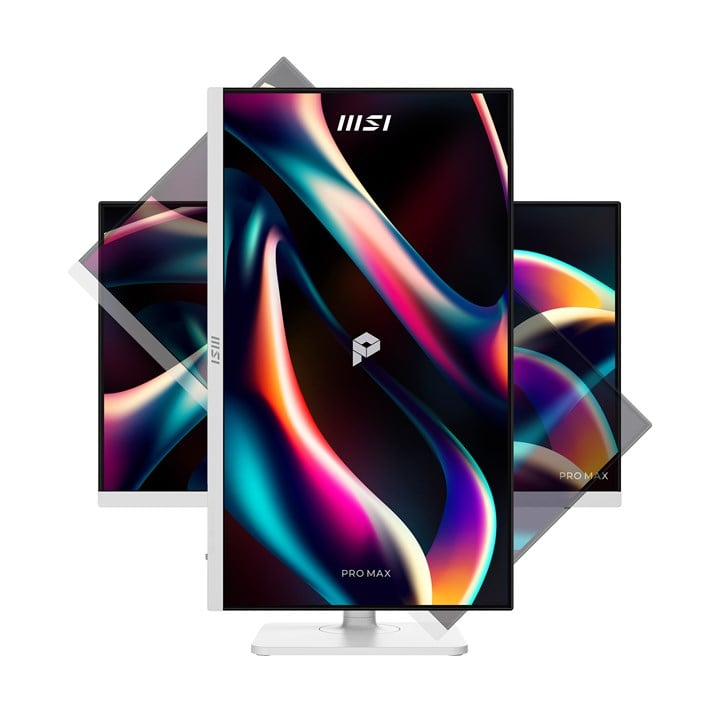
Work upright. Stay inspired
With adjustable stand, you can always adjust the way you see and the way you work. Find the most comfortable position for yourself.

One cable. Does it all
Streamline your workspace with the versatile USB Type-C port. With 65W Power Delivery, you can charge your laptop and transfer data with a single connection. Simple. Powerful.

Firmware Update
PRO MAX 241PHW E14 can update the firmware through Type-C connector, which is simple and easy to use. This allows users to update the firmware on their own at any time when the latest version is released by MSI. This ensures that the screen is always in the best-optimized state.

MSI M-Mate App
MSI M-Mate: Your Bridge Mate for Mac Sync, switch, and command. MSI M-Mate unifies your system functions and Macbook settings with built-in KVM execution. It’s the smarter way to work—all in one mate.

Master two worlds. With a single mind
Boost your productivity by controlling two computers with just one set of keyboard and mouse. The integrated KVM switch allows you to toggle between your laptop and desktop, saving space and simplifying your multitasking workflow.

Sound that surrounds your focus
Whether you are attending virtual meetings, watching videos, or listening to music, the integrated speakers provide clear sound while keeping your desk organized and clutter-free.

AMD FreeSync™ Technology
Unlock the full potential of your monitor with a high refresh rate. From seamless multitasking at work to ultra-smooth gaming and fluid AI-generated visuals, every detail comes to life with precision and speed. Whether you're creating, playing, or innovating — this is performance you can see and feel.

True to life. True to your vision
See the world as it was meant to be seen. Experience professional-grade fidelity with a Delta-E ≤ 2, ensuring every color is reproduced with life-like accuracy and consistency.

Technical Specification

MSI PRO MAX 241PHW E14 23.8" IPS 144HZ USB-C Full HD Gaming Monitor White

Display
Display diagonal
Size of the display for this product, measured diagonally, usually in inches.
60.5 cm (23.8")
Display resolution
The number of distinct pixels in each dimension that can be displayed. It is usually quoted as width × height, with the units in pixels: for example, "1024 × 768" means the width is 1024 pixels and the height is 768 pixels. The higher the number of pixels, the sharper the image.
1920 x 1080 pixels
HD type
Type of supported High Definition (e.g. Full HD, 4K Ultra HD).
Full HD
Native aspect ratio
The aspect ratio is the ratio of the width of an image to its height. The native aspect ratio is the one which the projector/display is particularly designed for. Images shown in native aspect ratio will utilize the entire resolution of the display and achieve maximum brightness. Images shown in other than native aspect ratio will always have less resolution and less brightness than images shown in native aspect ratio.
16:9
Display technology
The technology used in the display e.g. plasma, LED.
LCD
Panel type
IPS
Touchscreen
A screen of a laptop, smartphone, etc., that responds to touch so you can control the interface using your fingers.
 
Display brightness (typical)
Display brightness, measured by its Luminance, presented as a figure in nits. Typical brightness ratings for monitors range from 250 to 350 nits with a target value of between 80 to 120 nits being suitable for most displays in a normal viewing environment.
300 cd/m²
Response time
The response time is the time difference between the moment that a source (for example a video card) sends a signal and that equipment (for example a monitor) receives or display the signal. (Used abbreviations: R/F = Rise and Fall.)
4 ms
Response time measurement type
GTG (Gray to Gray)
Response time (MPRT)
1 ms
Screen shape
Flat
Supported graphics resolutions
The graphic resolutions that can be displayed by the device. The graphic resolution describes the width and height dimensions of a display, such as a computer monitor, measured in pixels.
1920 x 1080 (HD 1080)
Supported video modes
The video modes that can be displayed by the device.
1080p
Contrast ratio (typical)
The difference in light intensity between the brightest white and the darkest black.
1500:1
Maximum refresh rate
144 Hz
Viewing angle, horizontal
Maximum horizontal angle at which a display can be viewed with acceptable visual performance.
178°
Viewing angle, vertical
Maximum vertical angle at which a display can be viewed with acceptable visual performance.
178°
Display number of colours
16.7 million colours
Pixel pitch
This is the parameter of a picture tube, which specifies the shortest distance between two dots of the same colour. The principle is: the smaller the dot pitch, the better sharpness of image.
0.2745 x 0.2745 mm
Horizontal scan range
54 - 169.78 kHz
Vertical scan range
48 - 144 Hz
Viewable size, horizontal
The viewable size is often somewhat smaller than the actual size of a monitor, because there is a border around the image.
52.7 cm
Viewable size, vertical
29.6 cm
High Dynamic Range (HDR) supported
 
Colour depth
8 bit
Colour gamut standard
DCI-P3
Colour gamut
96%
sRGB coverage (typical)
122%
Adobe RGB coverage
93%
DCI-P3 coverage
96%
Performance
NVIDIA G-SYNC
 
AMD FreeSync
The product includes AMD Freesync Technology for the dynamic synchronization of the graphic card and the monitor in order to avoid screen tearing.
 
VESA Adaptive Sync support
 
Flicker-free technology
 
Low Blue Light technology
 
Multimedia
Number of speakers
The quantity of speakers included in/with the product.
2
RMS rated power
RMS (Root mean square) is a measure of the continuous power required by a device, in particular audio amplifiers and loudspeakers.
6 W
Built-in speaker(s)
The device contains speaker(s) to produce sound.
 
Built-in camera
The product has an integrated camera.
 
Design
Market positioning
Under which category can the device be positioned in the market, e.g. camera phone.
Gaming
Product colour
The colour e.g. red, blue, green, black, white.
White
Frameless design
 
Front bezel colour
White
Ports & interfaces
Built-in USB hub
Whether or not the device features a USB hub to connect more than one other device via USB.
 
Number of USB Type-B upstream ports quantity
2
USB Type-A downstream ports quantity
2
USB Type-C DisplayPort Alternate Mode
 
Ports & interfaces
USB Power Delivery (USB PD)
 
USB Power Delivery up to
65 W
DVI port
Digital Visual Interface (DVI) is a video display interface to connect a video source to a display device, such as a computer monitor.
 
HDMI
HDMI (High-Definition Multimedia Interface) is a compact audio/video interface for transferring uncompressed video data and compressed/uncompressed digital audio data from a HDMI-compliant device ("the source device") to a compatible computer monitor, video projector, digital television, or digital audio device. HDMI is a digital replacement for existing analog video standards.
 
HDMI ports quantity
The number of sockets (ports) for HDMI connections. HDMI (High-Definition Multimedia Interface) is a compact audio/video interface for transferring uncompressed video data and compressed/uncompressed digital audio data from a HDMI-compliant device ("the source device") to a compatible computer monitor, video projector, digital television, or digital audio device. HDMI is a digital replacement for existing analog video standards.
1
HDMI version
2.0b
DisplayPorts quantity
Number of DisplayPorts. A DisplayPort is a digital display interface developed by the Video Electronics Standards Association (VESA). The interface is primarily used to connect a video source to a display device such as a computer monitor, though it can also be used to carry audio, USB, and other forms of data.
1
DisplayPort version
1.2a
Audio output
The type of audio output that the device produces, and the connector(s).
 
Headphone out
The socket for connecting headphones to the device.
 
Ergonomics
VESA mounting
 
Panel mounting interface
The product can be used wih VESA mounting interfaces.
75 x 75 mm
Cable lock slot
Holes on the edge of devices through which a cable lock can be passed, so the device can be locked to a desk etc.
 
Cable lock slot type
Kensington
Height adjustment
The part of the device that can be adjusted to change the height.
 
Adjustable height (max)
11 cm
Pivot
 
Pivot angle
-90 - 90°
Swivelling
 
Swivel angle range
-30 - 20°
Tilt adjustment
The tilt, which means the angle at which the device is pointing (up or down), can be changed.
 
Tilt angle range
-5 - 20°
Power
Energy efficiency class (SDR)
D
Energy efficiency class (HDR)
F
Energy consumption (SDR) per 1000 hours
14 kWh
Energy consumption (HDR) per 1000 hours
22 kWh
Power consumption (standby)
The amount of electricity that is consumed when the product is on standby.
0.5 W
Power consumption (off)
0.3 W
AC input voltage
The voltage of the AC electricity that is inputted into the product.
100 - 240 V
AC input frequency
50/60 Hz
Power supply type
The type of power supply which this product uses.
Internal
Energy efficiency scale
A to G
Weight & dimensions
Width (with stand)
541.9 mm
Depth (with stand)
200.8 mm
Height (with stand)
381.1 mm
Weight (with stand)
5.35 kg
Width (without stand)
541.9 mm
Depth (without stand)
65.4 mm
Height (without stand)
322.3 mm
Packaging data
Package width
The distance from one side of the packaging to the other.
814 mm
Package depth
The distance from the front to the back of the packaging.
149 mm
Package height
The distance from the top to the bottom of the packaging.
490 mm
Package weight
Weight of the packaged product.
8 kg
Package type
The type of product package e.g. box.
Box
Packaging content
Cables included
DisplayPort, HDMI, Power

Fast Next Day Delivery

Over 20 years of Supply, Service & Support

We Source Hard to Find and Legacy Computer Parts

Free Technical Support